


"自定义模型Soccer Player No. 6" Youth Football Club Name and Concept Construction
How to synchronize the custom model of PbootCMS to the content management of BadouCMS?
When we operate pbootcms to convert badoucms with one click, we often encounter a problem: how to synchronize the custom models of Pbootcms to the content management in the badoucms backend? Clearly, the data has been synchronized, and the front-end page displays it as well, so why is there no content management for the custom models in the backend? Here, badoucms will share a method for manually adding it, which is very simple to operate and easy to get started!
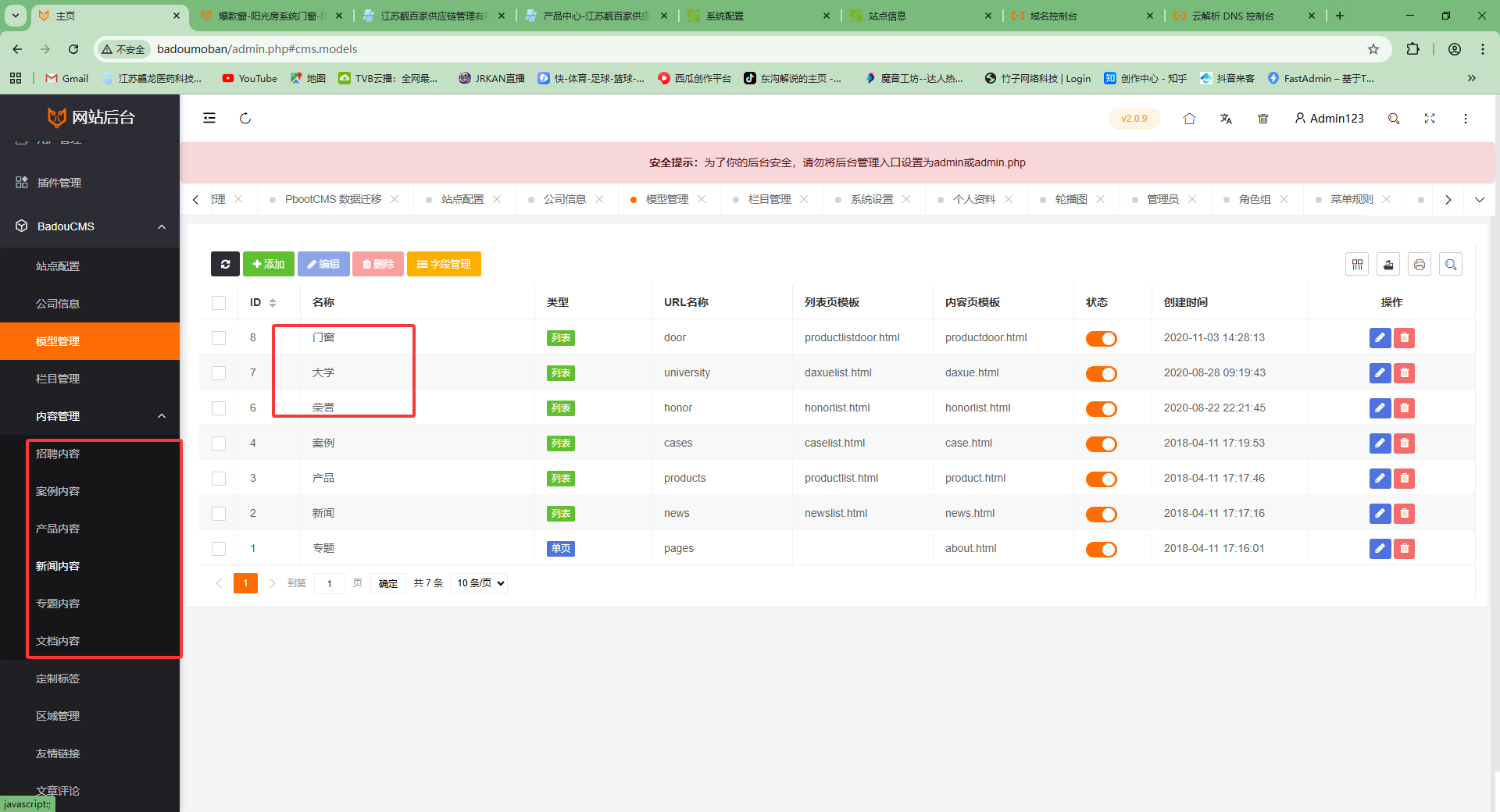
Step 1: We can see that the content management on the left side is still the default part of badoucms, while the custom models [doors and windows, university, honors] on the right side are not displayed on the left!
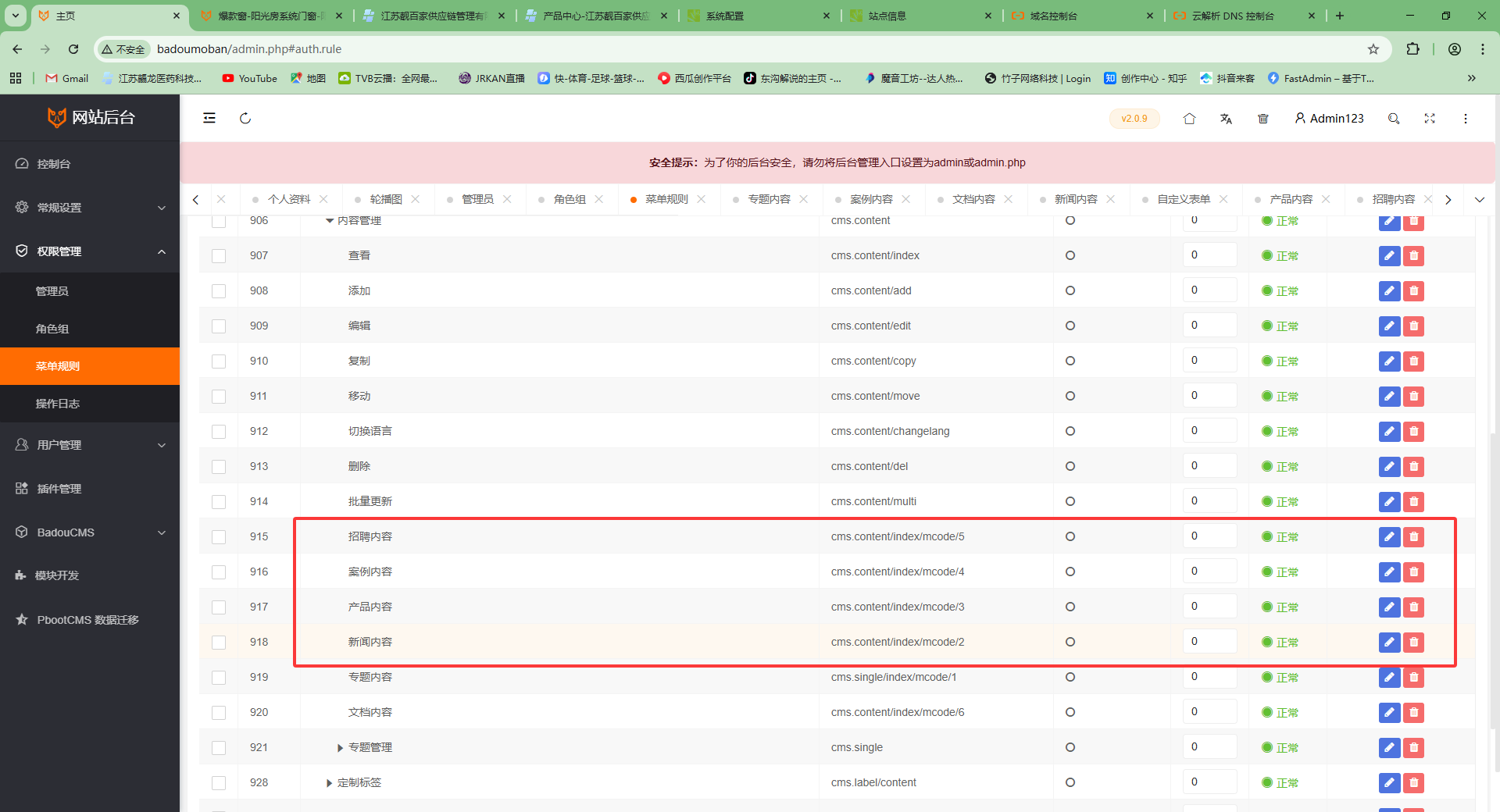
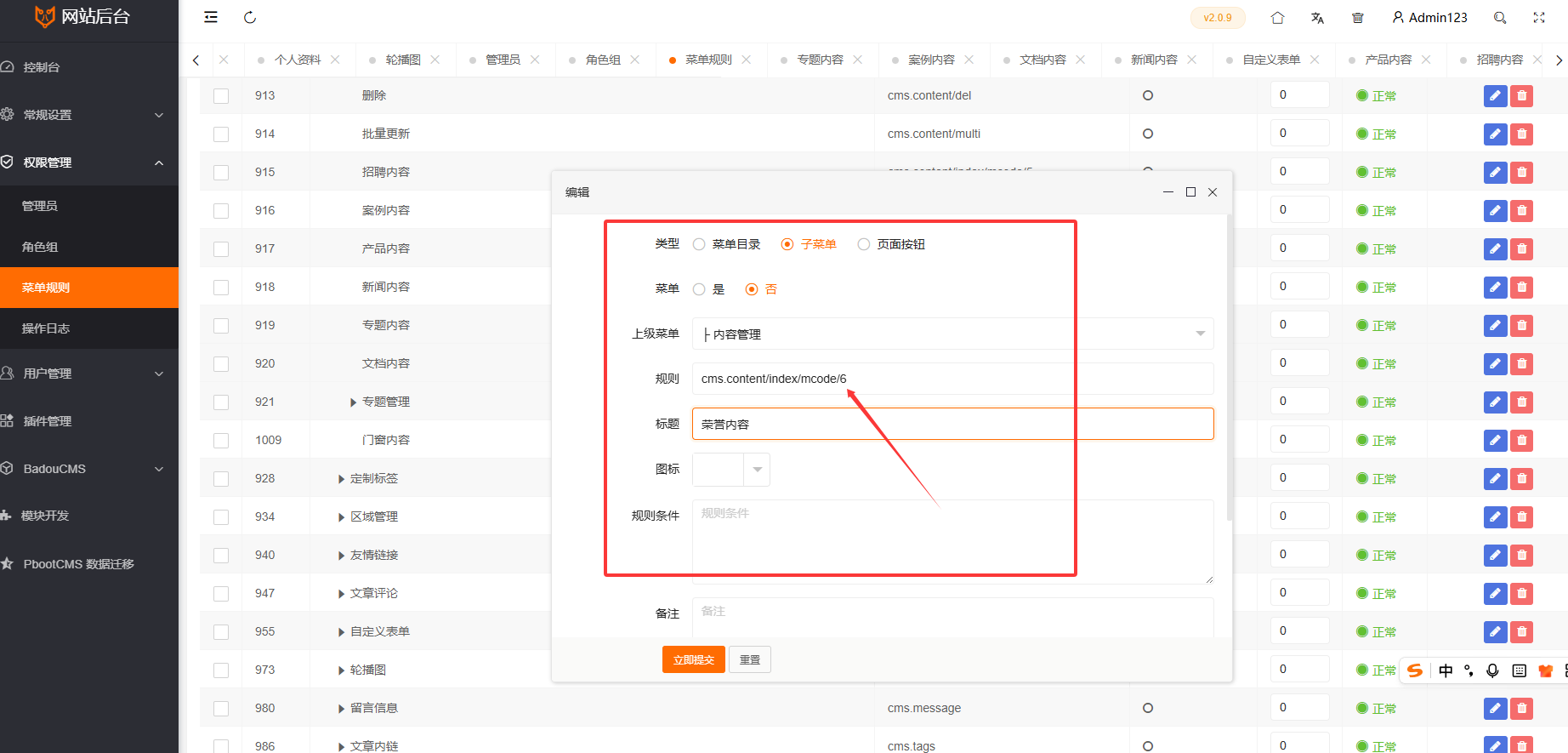
Step Two: We go to the permission management section under Badoucms backend, find the 【Menu Rules】 on the left, then look for the 【BadouCMS】 dropdown on the right and open it to find 【Content Management】 at the lower level. At this point, you will see the default news content and product content here. This is the area where we need to manually add!
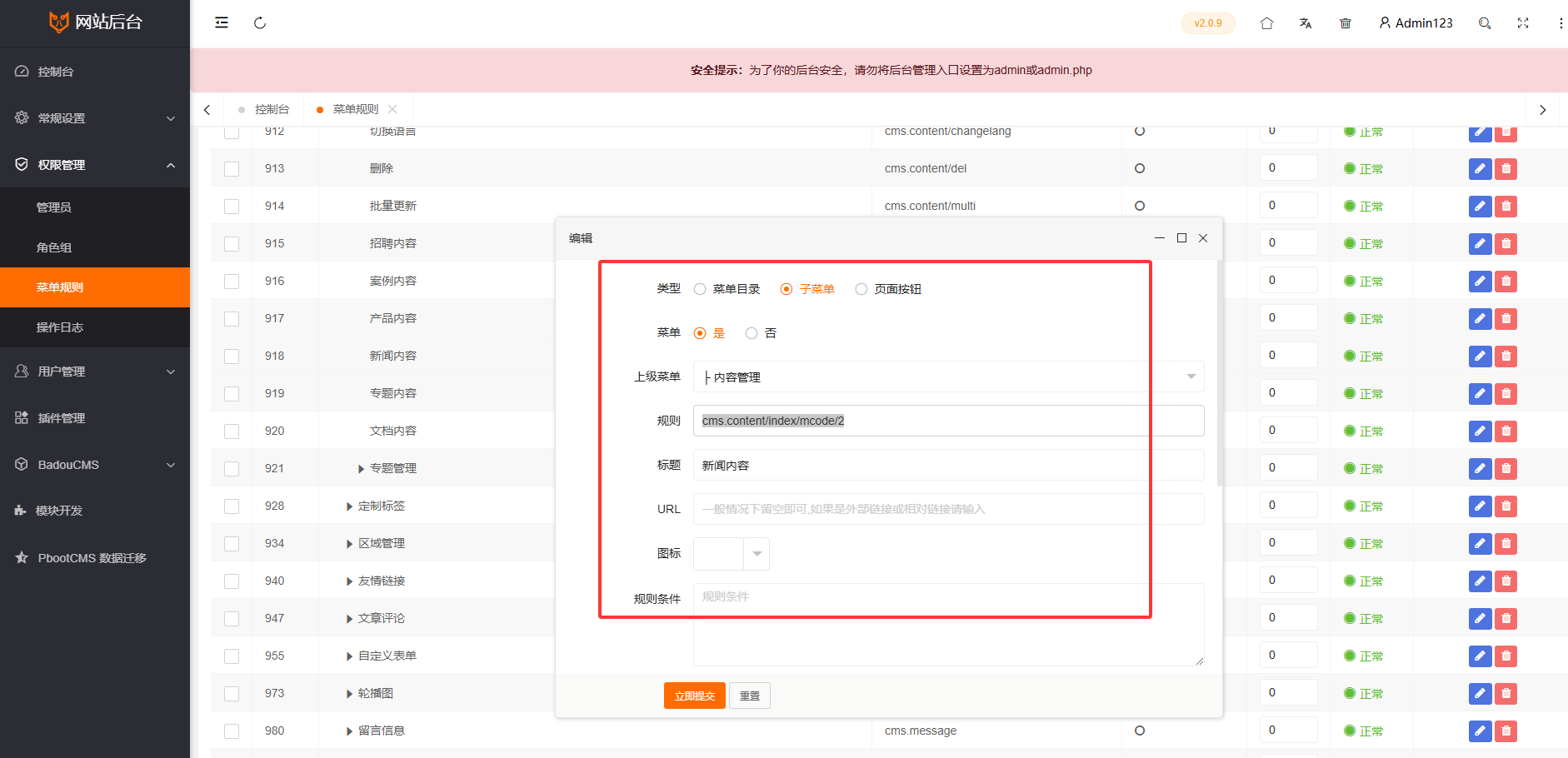
第三步:打开一个默认的【新闻内容】参考这里的数据内容,新增pbootcms里面的自定义模型。切记!规则里面的ID要改成Badoucms后台对应的id序号!
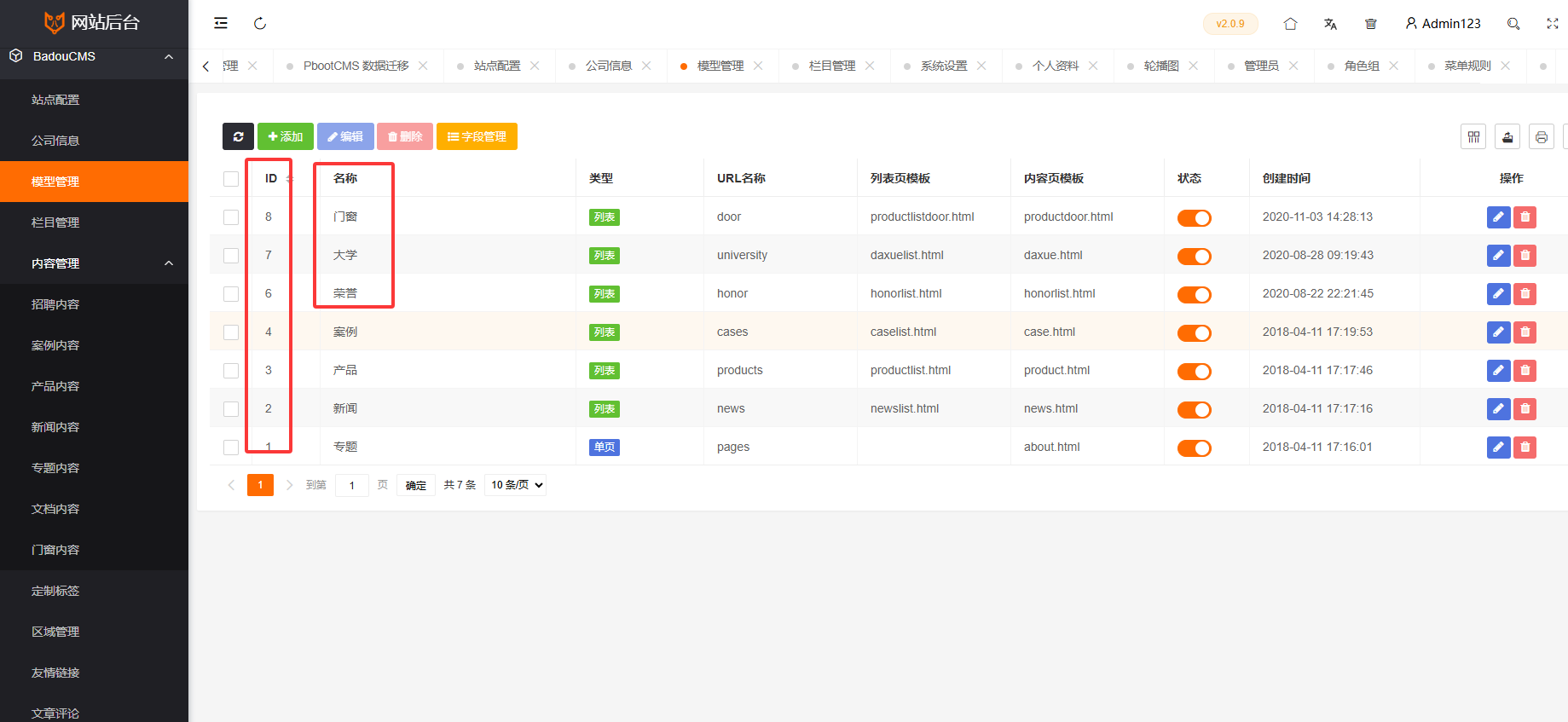
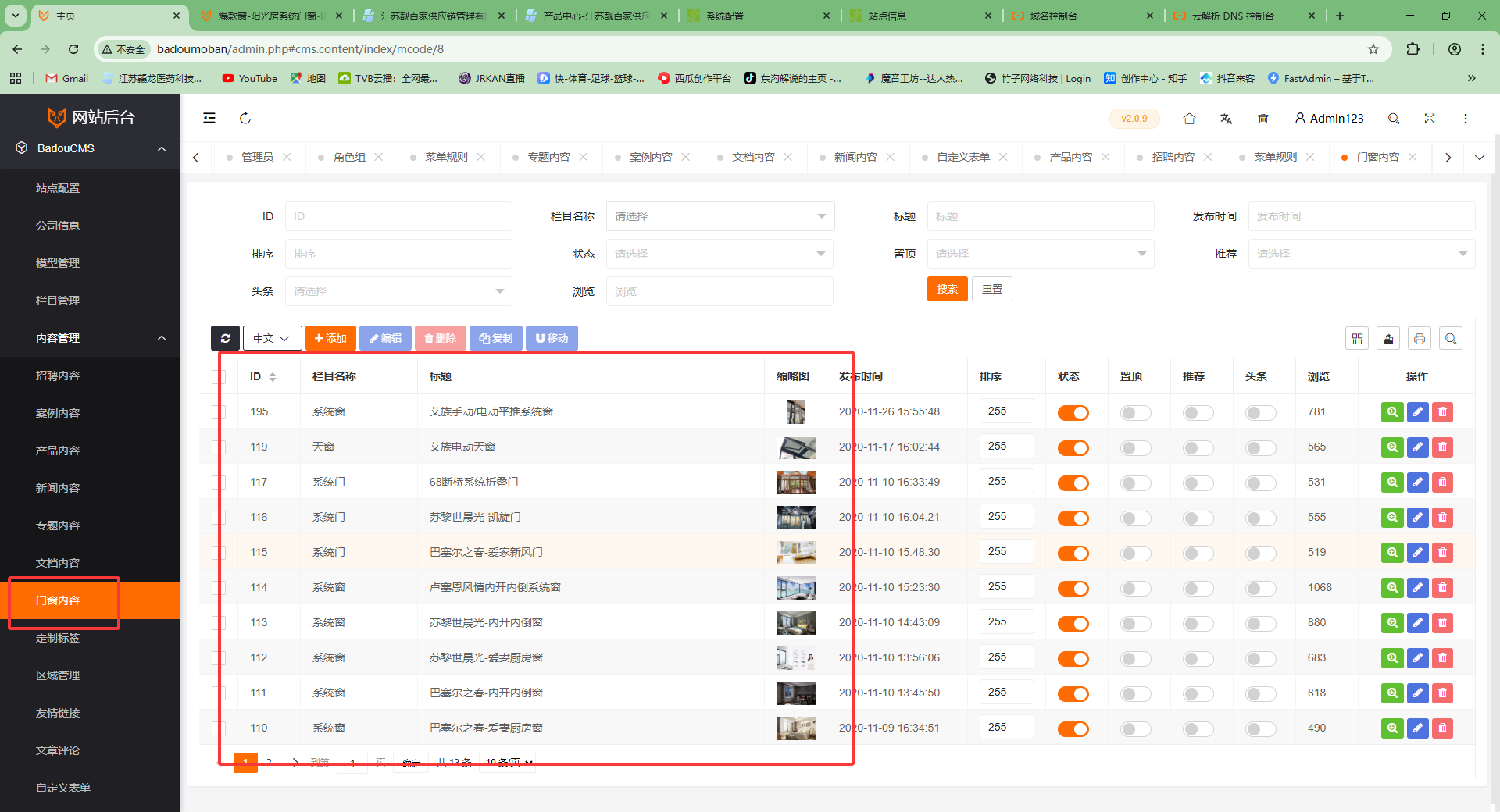
After adding the corresponding ID content for the custom model, the 【Content Management】 on the left side of the Badoucms backend will display the 【Door and Window Content】 and 【Honor Content】 you added! (Suggestion: Refresh the backend first to clear the cache!)
其他更多技术问题,欢迎大家加入badoucms官方QQ群【963655847】,详细沟通!

